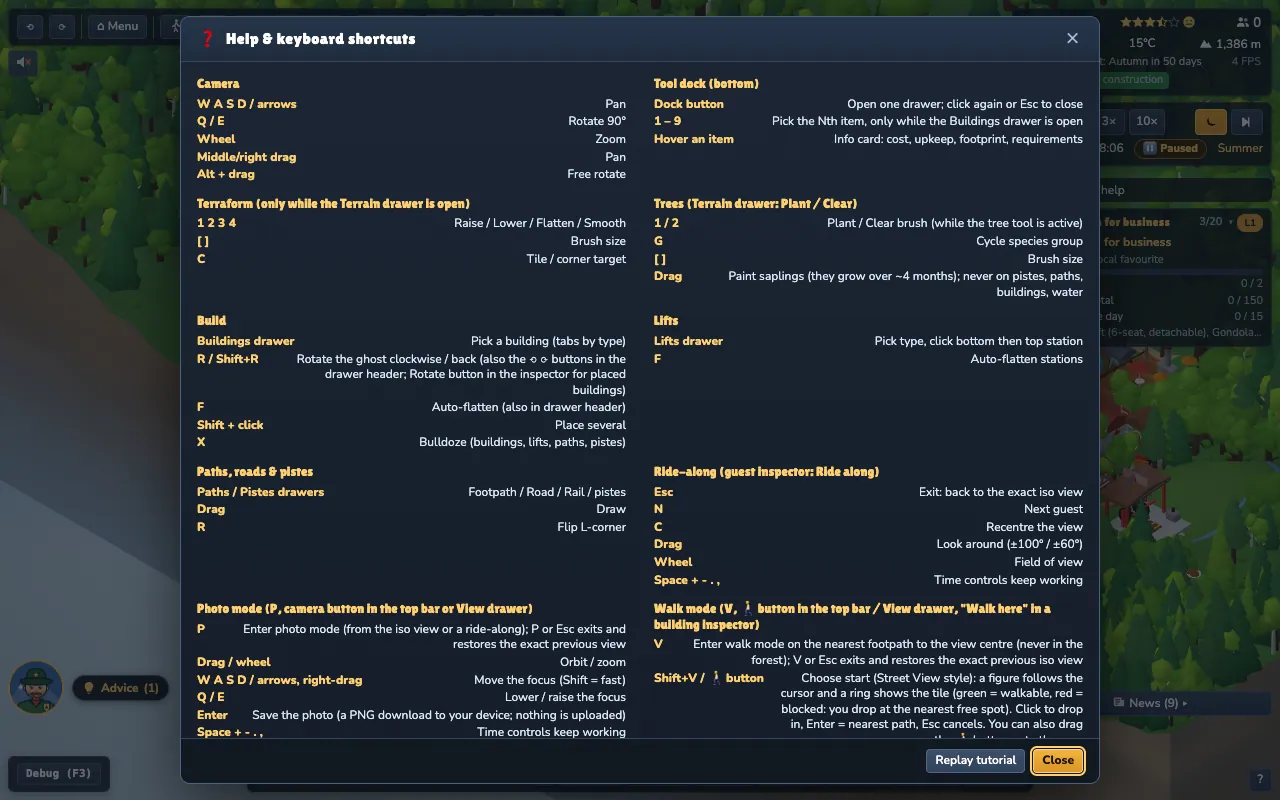
Guide pages Getting started The interface Building Lifts & pistes Guests & seasons Operations & safety Events, guests' stories & the region Money Career & scenarios Achievements & cosmetics Ride, Walk & Photo Settings & accessibility Saves, offline & install Troubleshooting & FAQ Glossary Keyboard shortcuts Keyboard shortcuts Every key the game uses, grouped by what you are doing. Generated from the game itself.
Press ? or H anywhere for the shortcut list. This page is generated from the game's own key registry , so it is always current. In the game, press ? or H for the in-game list.
Time keys (Space , + , - , . , , ) work in every mode. The number keys never conflict with them, because they only act while a drawer or terrain tool is open.
# Anywhere
Keys
What it does
W / ↑ Pan up
A / ← Pan left
S / ↓ Pan down
D / → Pan right
Q Rotate left
E Rotate right
Space Pause
= / . Faster
K Skip to next month (fast-forward)
- / _ / , Slower
O Cycle overlay
G Tile grid
B Model gallery (debug)
X Bulldoze
M Mute
? / H Help
P Photo mode (enter / exit)
F3 Debug panel
F5 Quicksave
F9 Quickload
Ctrl +S Save dialog
Ctrl +Z Undo last build action
Ctrl +Y Redo (also Ctrl+Shift+Z)
Esc Cancel / pause menu
V Walk mode (enter at the nearest path; exits while walking)
Shift +V Walk: choose start (drop mode)
# Buildings drawer open
Keys
What it does
1–9 Pick Nth item (Buildings drawer open)
# Placing a building
Keys
What it does
R Rotate
F Auto-flatten
# Placing a lift
Keys
What it does
F Auto-flatten
# Drawing paths, roads, rail and pistes
Keys
What it does
R Flip corner
Keys
What it does
1 Raise
2 Lower
3 Flatten
4 Smooth
[ Brush -
] Brush +
C Tile/corner
Keys
What it does
1 Plant
2 Clear
G Cycle species
[ Brush -
] Brush +
# Landscape drawer: ponds, boulders, decor
Keys
What it does
1–6 Pond / fill / boulders / remove boulders / decor / remove decor
[ Size -
] Size +
R Turn decor
# Ride-along
Keys
What it does
N Next guest
C Recentre the view
# Walk mode
Keys
What it does
W Walk forward
A Strafe left
S Walk back
D Strafe right
Shift Run
Space Hop
E Interact / board a lift
P Photo mode
T Teleport (choose start again)
Alt Free the mouse (pointer-lock mode)
Esc Exit walk mode
# Photo mode
Keys
What it does
W Move forward
A Move left
S Move back
D Move right
Q Lower focus
E Raise focus
Enter Save photo
Esc Exit photo mode
# Mouse
Action
Mouse
Select a building, lift, piste or guest
Click
Cancel the current tool
Right-click or Esc
Pan the camera
Middle or right drag
Rotate freely
Alt + drag
Zoom
Wheel
Place several buildings
Shift + click