Guide pages
Getting startedThe interfaceBuildingLifts & pistesGuests & seasonsOperations & safetyEvents, guests' stories & the regionMoneyCareer & scenariosAchievements & cosmeticsRide, Walk & PhotoSettings & accessibilitySaves, offline & installTroubleshooting & FAQGlossaryKeyboard shortcutsThe interface
A tour of the screen: top bar, goals, speed buttons, dock, news and Ranger Rudi.
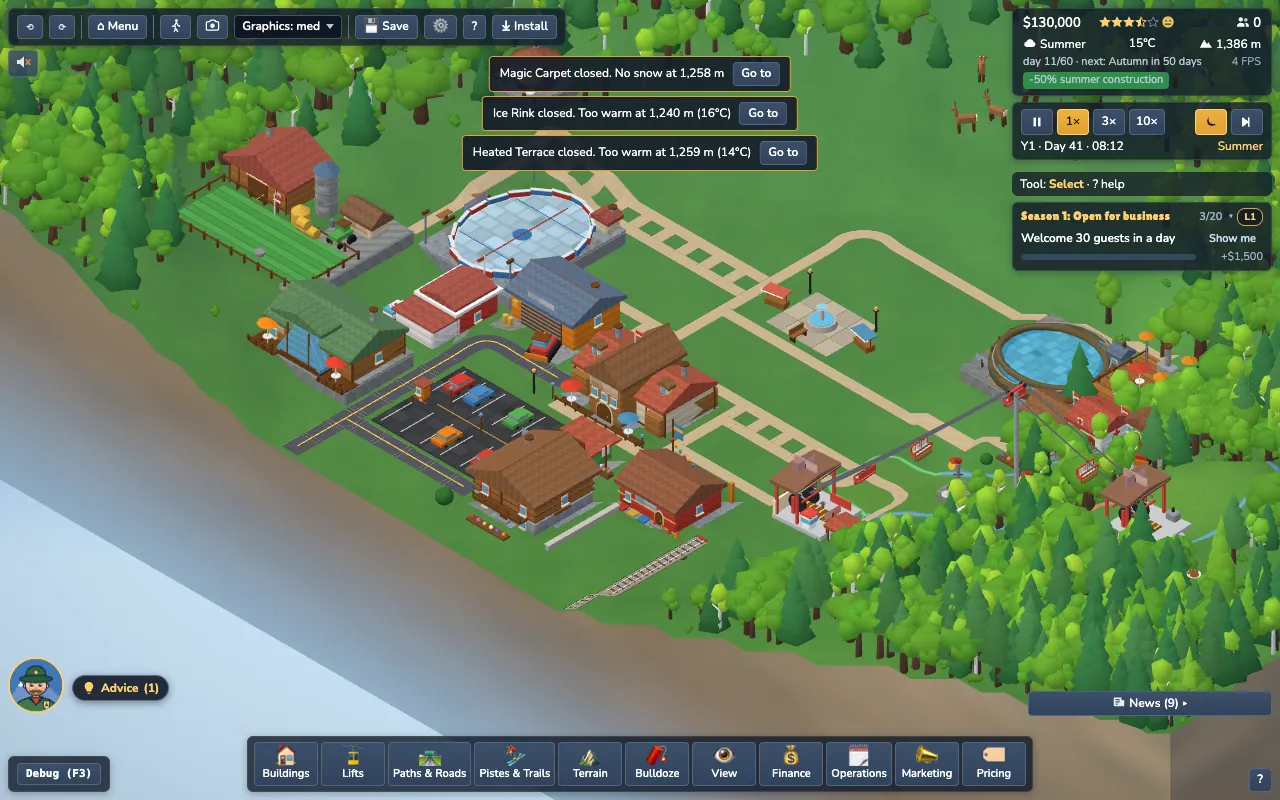
#Top left: menu and tools
- Undo / redo arrows: step back and forward through your last ten build actions (also Ctrl+Z and Ctrl+Shift+Z).
- Menu returns to the main menu (it autosaves first).
- Walk (the little person) and Camera start walk mode and photo mode.
- Graphics switches the quality level, useful on a modest laptop.
- Save, Settings (the gear), Help (?) and, when your browser offers it, Install.
#Top right: your resort at a glance
- Money, star rating, guest happiness face and the number of guests on the mountain.
- Weather, temperature and altitude of the current view, plus the day and how long until the next season.
- Speed controls: pause, 1×, 3× and 10×. The moon button speeds up nights, and the skip button next to the speeds is Skip to… (next month, next season or next event). More in Guests & seasons.
- Goals card with the three active goals and their rewards. A badge shows your Career level.
#The dock (bottom)
Each button opens a drawer with items or panels. Click again, or press Esc, to close it.
| Button | What it holds |
|---|---|
| Buildings | Everything you can build, in tabs by type |
| Lifts | The eleven lift types |
| Paths & Roads | Footpaths, roads and rail |
| Pistes & Trails | Ski pistes by difficulty, plus hiking and biking trails |
| Terrain | Raise, lower, flatten, smooth the ground |
| Landscape | Dig ponds, boulders, plant or clear trees, garden decor (see Building) |
| Bulldoze | Remove buildings, lifts, paths and pistes |
| View | Map overlays, grid, camera and photo/walk shortcuts |
| Finance | Money overview, loans, reports |
| Operations | Lifts and the Staff tab (crews, wages, six training courses), grooming, snowmaking and safety coverage |
| Marketing | Campaigns |
| Pricing | Ticket, season-pass and food prices |
#Bottom left and right
- Advice (bottom left, next to Rudi's face) shows up to three suggestions. Show me moves the camera (or opens the right drawer and highlights the card); Dismiss hides one for 30 in-game days.
- News (bottom right) collects events, milestones and guest reviews. Important ones pop up as toasts.
#Help, pause and the camera
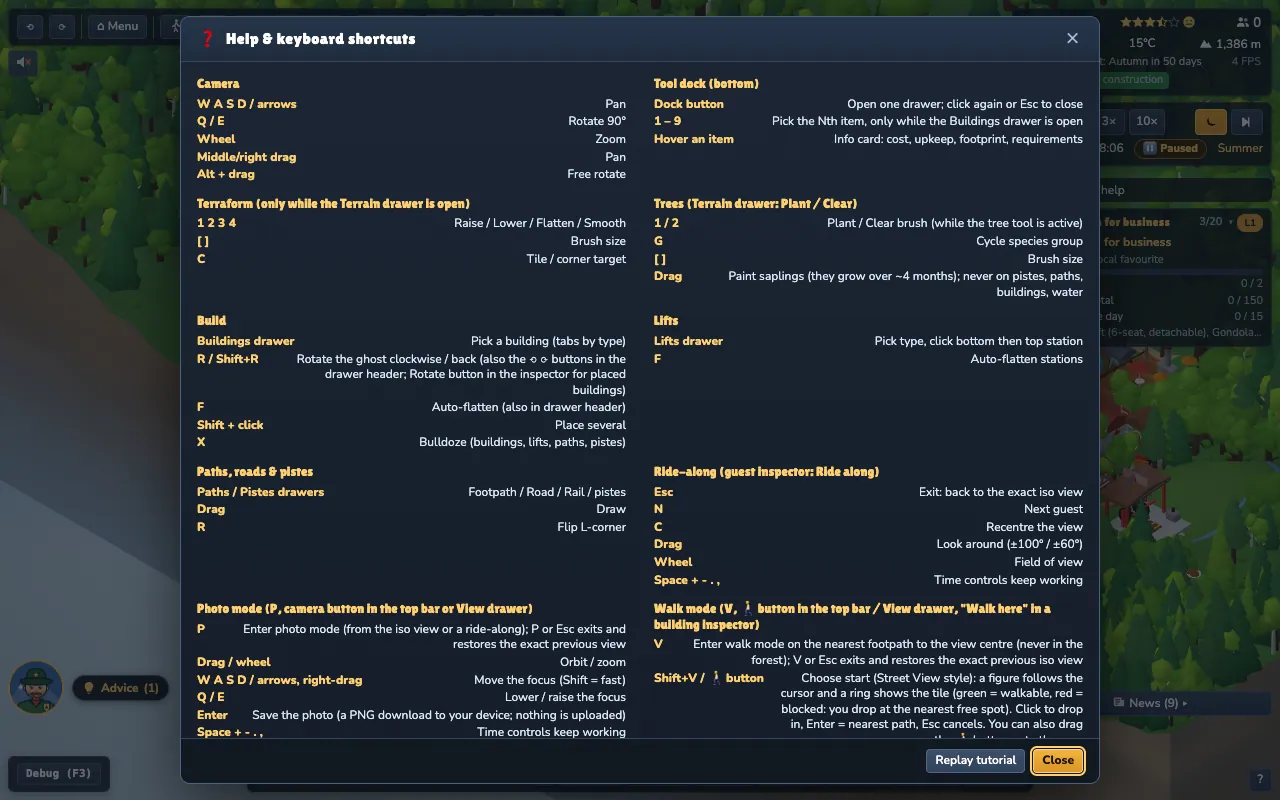
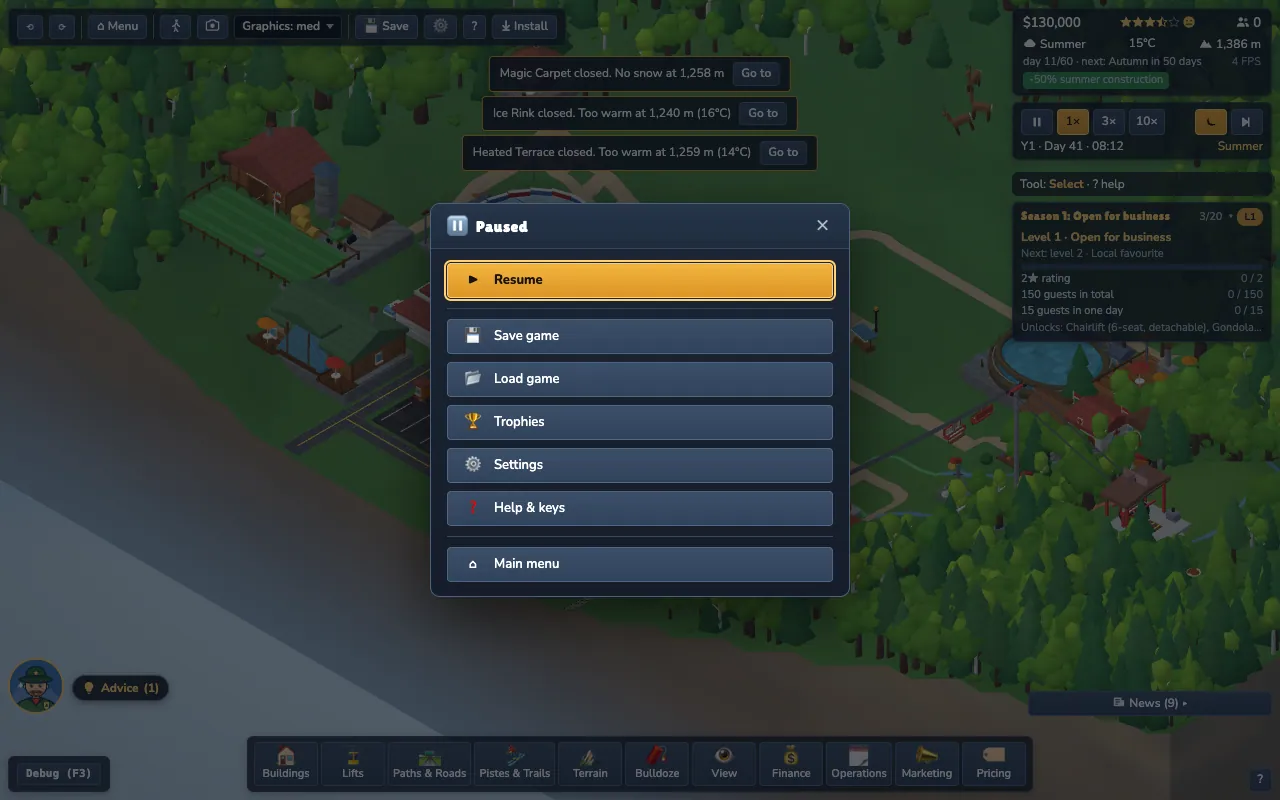
Press ? or H for the shortcut list. When nothing else is open, Esc opens the pause menu.
Camera basics: WASD or the arrow keys pan, Q and E rotate in 90° steps, the mouse wheel zooms, right-drag pans and Alt-drag rotates freely. A full list is in Keyboard shortcuts.