Guide pages
Getting startedThe interfaceBuildingLifts & pistesGuests & seasonsOperations & safetyEvents, guests' stories & the regionMoneyCareer & scenariosAchievements & cosmeticsRide, Walk & PhotoSettings & accessibilitySaves, offline & installTroubleshooting & FAQGlossaryKeyboard shortcutsSettings & accessibility
Sound, feedback intensity, text size, reduced motion, month and year reports, ride and walk options.
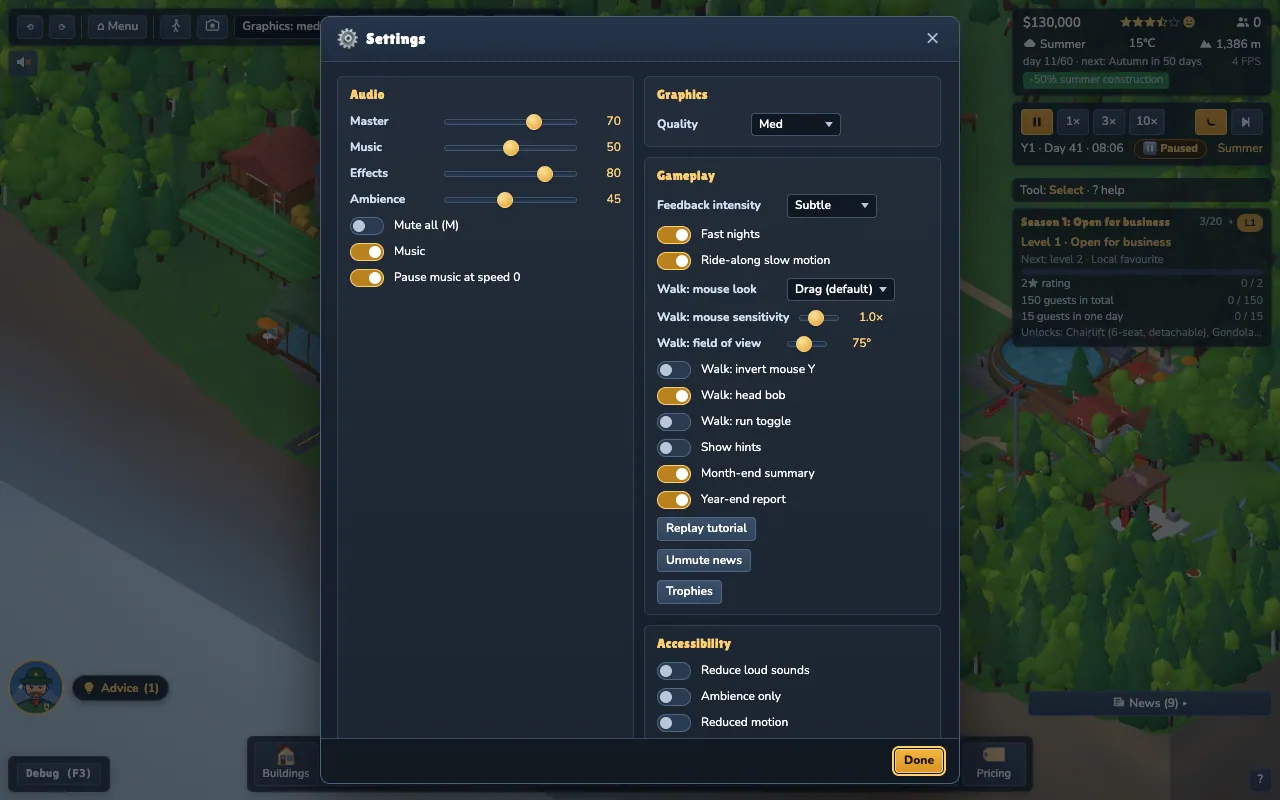
Open Settings with the gear icon in the top bar. The game pauses while Settings (and Help, Save & load, Trophies or About) is open.
#Sound
- Music and mute all (M), plus volume sliders. Music and sounds are synthesised live; there are no audio files.
- Ambience only and Reduce loud sounds for a calmer mix.
- Pause music at speed 0 if you like silence while paused.
#Look and feel
- Quality: lower it on a modest laptop (also in the top bar as Graphics).
- Feedback intensity: Off, Subtle or Lively controls popups, puffs, confetti and festival fireworks when things happen.
- Show hints and Replay tutorial.
#Accessibility
- Reduced motion gives a calmer camera, fewer effects and no decorative animation. It defaults to your operating system's setting.
- Text size scales the whole interface.
- The game can be played largely from the keyboard (see Keyboard shortcuts), and dialogs trap and restore focus.
#Game
- Month-end summary: the small card showing income and expenses.
- Year-end report: the Resort of the Year dialog; if off, the report is still in Finance → Reports.
- Fast nights: nights pass about three times faster.
- Ride-along slow motion.
- Walk: mouse look: Drag (default) or Pointer lock.
#Cosmetics and profile
Equip unlocked cosmetics here. Reset profile clears achievements, cosmetics and scenario medals (never your saved games), after a confirmation.