Guide pages
Getting startedThe interfaceBuildingLifts & pistesGuests & seasonsOperations & safetyEvents, guests' stories & the regionMoneyCareer & scenariosAchievements & cosmeticsRide, Walk & PhotoSettings & accessibilitySaves, offline & installTroubleshooting & FAQGlossaryKeyboard shortcutsSaves, offline & install
Quick save, slots, autosave, exporting .slope files, and playing offline as an installed app.
#Saving
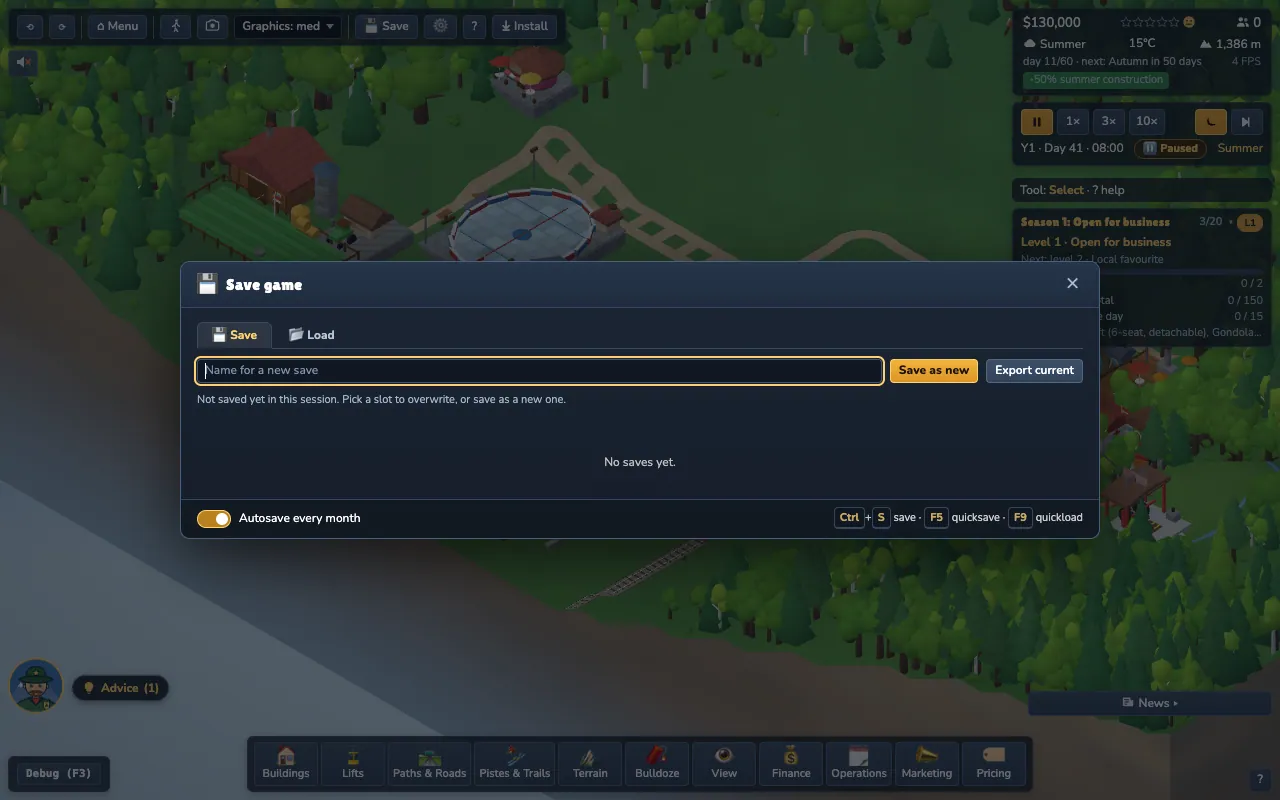
- F5 quick-saves, F9 quick-loads.
- Ctrl+S or the Save button opens the Save / Load dialog with named slots and thumbnails.
- The game autosaves every in-game month and when you return to the menu.
- Continue on the main menu resumes your latest save.
#Where saves live
Saves are stored in your browser on this device (IndexedDB). There is no account and no cloud; nothing is sent anywhere. That also means clearing site data deletes them, so back up the saves that matter:
- Export a slot as a
.slopefile and keep it anywhere. - Import a
.slopefile on this or another computer to continue there.
#Offline and installing
After your first visit the game caches itself, so it works without a network (an Offline pill appears in the top bar). When an update is available, you get an Update available toast; the game saves before it reloads.
- Chrome / Edge: click Install in the top bar (or the install icon in the address bar).
- iPhone / iPad: Safari → Share → Add to Home Screen.
- Updates reach you within about ten minutes of a new release.
The website you are reading and the game are separate: the website needs no service worker, only the game is installable.